September release · 2026-09-10
Baubiber September release: what changed for your role
The September release is live. It adds project hubs, shared tasks and decisions, independent offers, and guided tours, with fixes across project creation, site work, approvals, billing, and everyday access.
Homeowners and residents
Capture the job and recover interrupted conversations
Project creation keeps saved answers and recordings available after an interrupted Bobo conversation. Microphone and recording errors offer retry, settings, or typing alternatives; live conversations have a transcript, mute, and end controls. Selecting a property or starting to type no longer creates an empty project. If you explicitly start a live session and abandon it before adding content, Baubiber attempts to remove the empty draft while preserving projects that contain your work.
Property setup, project intake, and questionnaire addresses use the same search-then-review form in the app. You can correct the full address before saving. Searches and new GPS selections support Germany, Switzerland, and Hungary; existing saved addresses remain until you edit them. Search errors are visible, and correcting an address clears stale map coordinates.
See the decision and the agreed work
Project summaries link to invoices and milestones you can view. Offers show when approval is still needed or an offer has been withdrawn. AI observations, materials, and work plans are labelled as unverified suggestions, so you can review them with your contractor before agreeing on the scope.
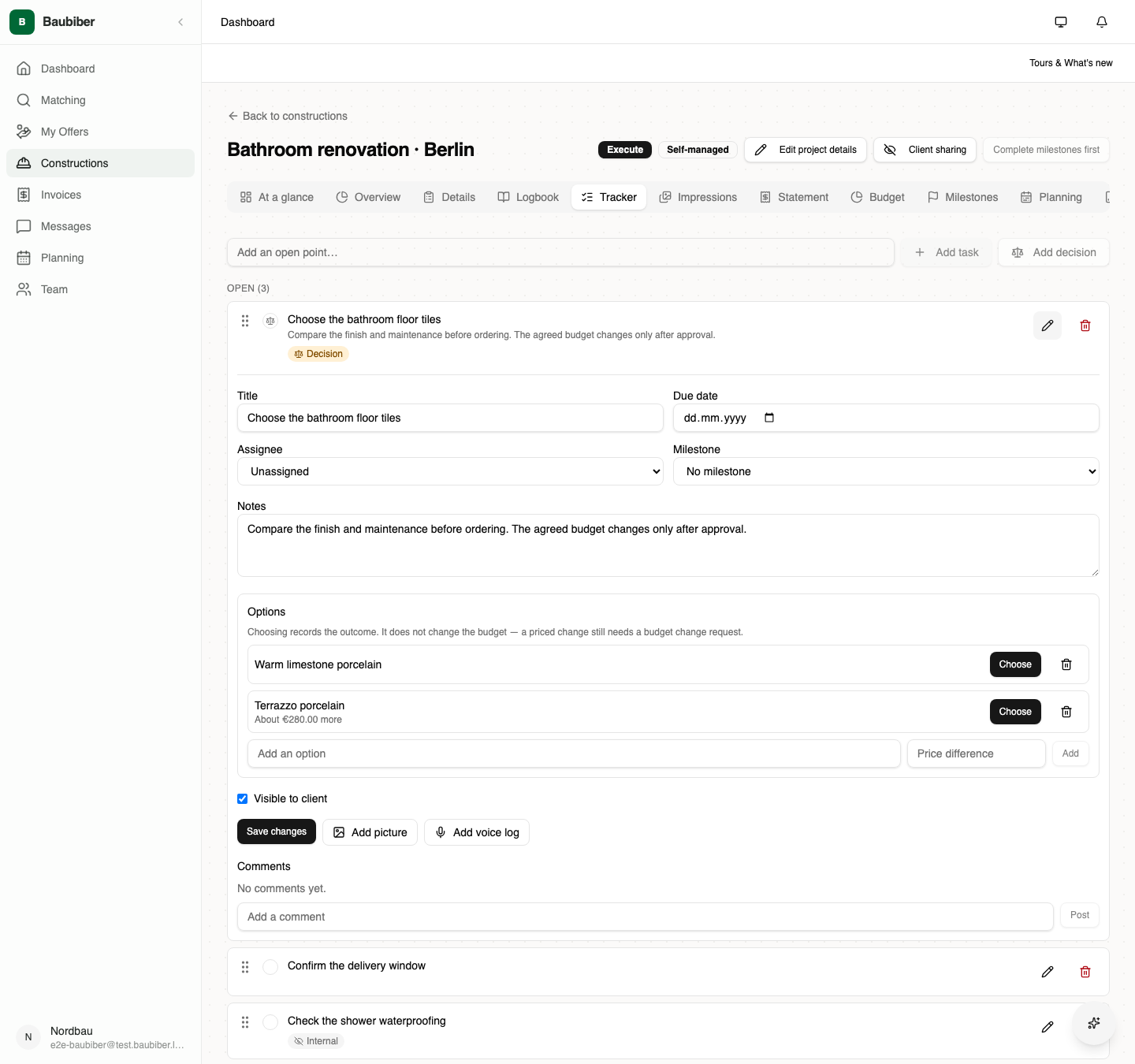
Open points hold tasks and decisions with options, photos, comments, and indicative price differences. The assigned person decides; without an assignee, the other side answers the question. The chosen option remains recorded. A decision does not change the approved budget: price changes still go through the budget-change workflow.
Turn a chat message into a new open point and keep its source linked. Points can remain private to your side or be shared with the project. Sharing is permanent. Your view of the logbook, crew names, and hours follows the project's sharing settings. After a matched project is awarded, the original brief is protected and later changes use the dedicated project workflows.
Contractors, freelancers, and Light users
Assess leads and submit your own plan
The Leads list and project detail now show consistent skill-match information. Missing information reads “Match not assessed”. Expandable client context adds an anonymous account reference, membership month, project counts, activity points, and available client ratings. Contact details and identity retain the offer-acceptance gate. Points describe activity; they are not a workmanship rating.
The service radius is a visible filter in the app and Pro. Clearing filters removes it and shows all projects your account is eligible to see. City and postcode filters take precedence over the radius, and filters stay available when there are no results. Mobile leads load in pages, My Offers remains easy to reach, and Pro retains filter state when you navigate back.
You can submit an itemized milestone offer even when a lead has no shared work plan. Use the suggested plan or replace it with your own scope. Linked offers still track their source plan, and a changed plan needs review before prices carry over. Offer forms have clearer task and pricing fields, larger removal controls, and more room on narrow screens.
Editing preserves offer names, terms, and itemized work. Eligible pending, shortlisted, or awaiting-approval offers can be withdrawn; their history remains and you can re-offer when the project allows it. Closed-offer pages retain your bid and outcome, and messaging works while an offer is pending. Acceptance prevents two competing offers from winning the same project.
Run awarded and private jobs
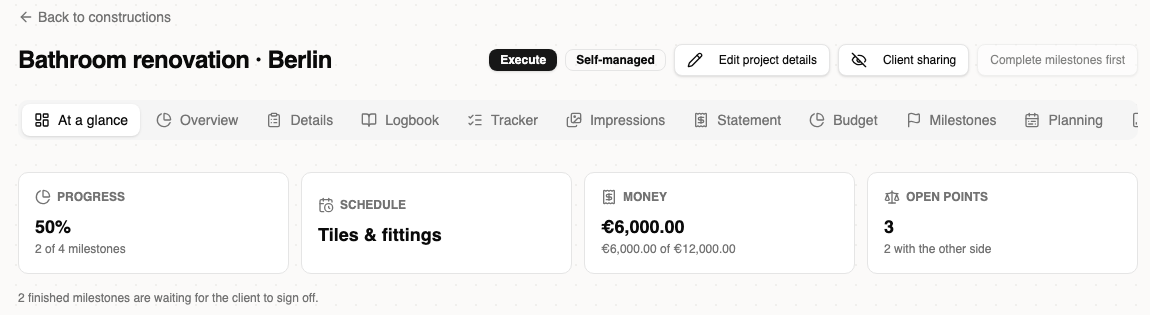
The contractor mobile project hub and the Pro hub bring together progress, schedule, permitted financial totals, open points, “waiting on you”, and recent activity. Activity links back to the relevant records. Full workspace remains available for detailed work, and Pro keeps its project tabs.
Self-managed jobs stay out of public leads. Their brief, rooms, issues, target state, and before-photos remain editable, fixing blocked photo uploads and assessment on private jobs that start directly in execution. Their form explains optional client and address details, shows inline errors, and focuses the first field that needs correction. A job without a client says so; messaging appears only when another eligible participant exists. Location cards open directions.
Organization and project sharing settings control the default audience of logbook entries and open points, plus client visibility of crew names and hours. Private work stays on the appropriate side until shared. Light users get the relevant private-job improvements within their existing plan permissions.
Invoice with consistent amounts and a correction history
Invoices receive a number when sent, using a separate sequence for each issuer and year. Drafts remain unnumbered. Country-based VAT defaults are editable, including zero; changing tax recalculates totals. Money fields accept decimal commas and decimal points and reject ambiguous input.
Projects keep one currency across offers, budgets, rates, milestones, and invoices. Dashboards group totals by currency. The invoice project picker includes eligible self-managed work and colleague-owned projects for authorized billing administrators. Disputed invoices have their own filter and attention count; correcting one cancels and copies it while retaining the original, source links, and history. Past-due sent invoices are handled by daily overdue processing.
Construction project managers
You can record your own time against assigned work and inspect assigned-project prices, rates, budgets, and actual costs. Access follows your current organization role and project assignment. Financial administration remains limited to authorized roles.
The manager Today view stays available, while the worker schedule is requested only for organization workers. Project summaries, shared open points, activity, and chat links help follow up on work and decisions within your permissions. Manager tours explain these workflows without exposing company administration actions.
Site workers and invited teammates
Today opens the schedule for organization construction workers. Residents, Light users, and other accounts without that role return to their normal home when they open a Today link. A project invitation alone no longer sends a teammate into an unauthorized worker-schedule request.
Optional Android perimeter reminders suggest starting or ending a scheduled shift after checking the location transition. They require precise-location and background-location permission; you still confirm your time entries. Map screens handle app builds without a configured Maps key safely. Android map and background-location changes require a compatible native app build.
Worker prices remain hidden, and client visibility of names and hours follows the project's sharing policy. Retry messages, refresh controls, offline status, and role-specific tours also apply to daily site work.
Property managers and owners using Nest
Nest projects open on the shared hub with progress, outstanding actions, and financial information where permitted. A paginated Activity tab links to project records, and the selected project tab stays in the URL. Mobile client and manager detail screens keep their established layouts.
Properties can be explicitly linked to an organization. Management access follows current role membership, all current managers receive relevant notifications, and any authorized current manager can resolve an approval. Existing private properties remain private until shared. Team invitations use manager terminology and defaults; individual onboarding remains available.
Property lists gain search, sorting, and pagination. Project lists exclude drafts on the server; approvals have pagination and accurate pending counts. Property creation requires a selected address, highlights unfinished searches, and validates positive size and a whole-number year. Hungary is available in the country picker.
Offers show itemized scope and contractor labels while preserving identity restrictions before acceptance. Milestone sign-off and revocation follow existing permissions and show errors clearly. Expired or withdrawn approvals cannot approve stale offers. Approval email pages in German, English, and Hungarian show project, contractor, and amount with working dashboard and messaging guidance. Budget-change decisions are applied once, with approval and currency rules preserved.
Baubiber administrators
Project status badges explain each state in the normal workflow and show the project ID and last update time. Context works with keyboard, pointer, and touch; keyboard focus keeps the explanation open after the page scrolls the badge into view.
Admin supports German, English, and Hungarian, with localized dates and counts. Analytics pages handle language changes without the previous hydration errors. Retryable page states and clearer shared form controls improve recovery, while authenticated access restrictions remain in place.
Sign-in, tours, points, language, and reliability for everyone
Choose your workspace and find help inside it
Baubiber is open for signup. The website separates worker and crew access on Baubiber web, owner and property-manager access on Nest web, and mobile access for every role; company administration has a Pro link. iPhone and Android downloads lead directly to the stores. Partner pages offer signup, and earlier onboarding article links now show current instructions.
Sign-in remembers the last successful method and email on that device, including after sign-out. You can forget them. Nest activation and dashboard signup return to the appropriate onboarding flow. Organization invitations require the signed-in account to match the invited email.
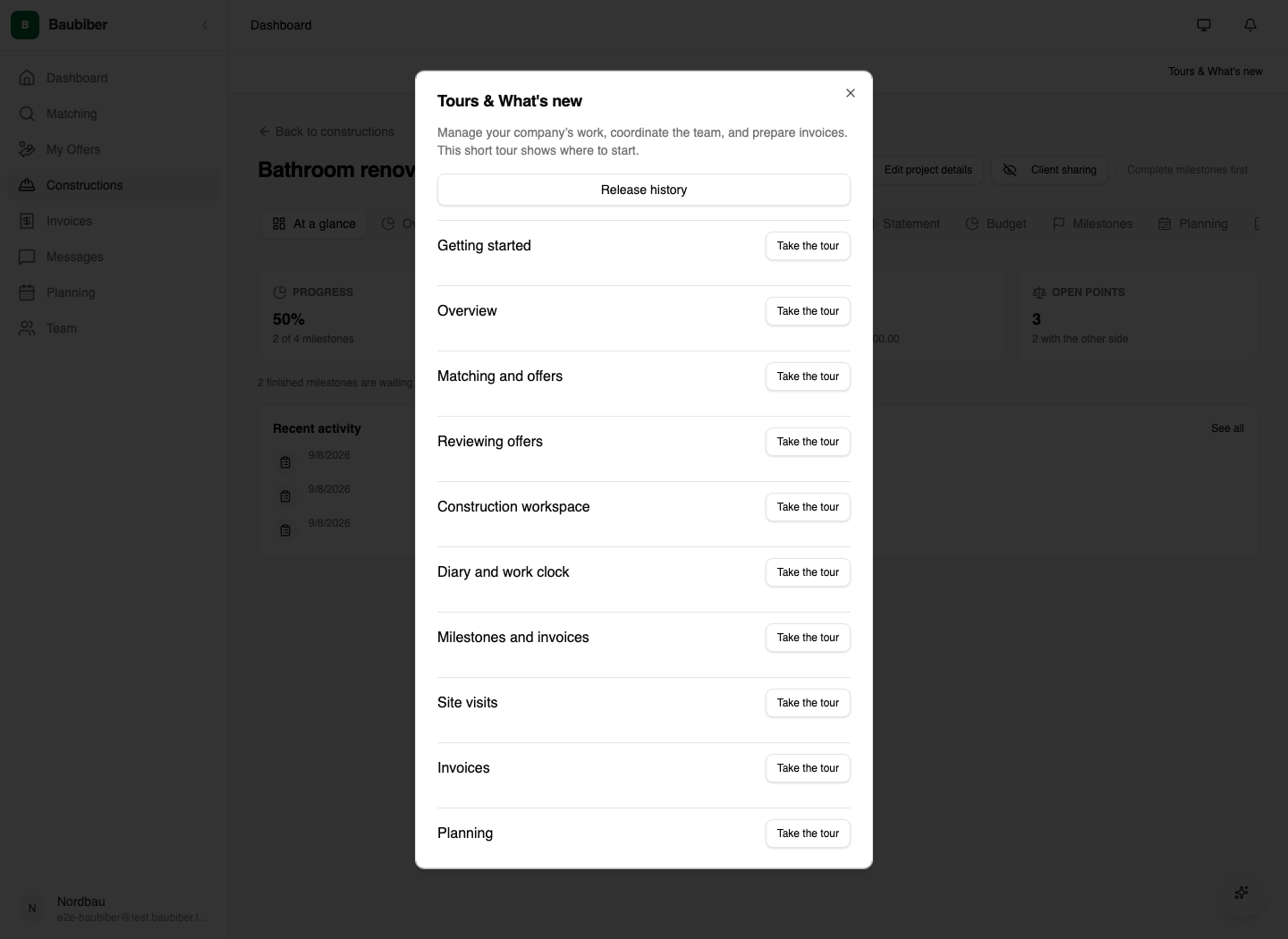
Optional tours explain the controls available for your role. Start, skip, resume, or replay them in Tours & What's new, alongside update announcements and release history. Progress stays on the device and survives sign-out. Tours respect organization, role, mode, consent, and financial permissions; navigation never submits a business action or starts a recording.
Understand points and keep your language
Open the earning guide beside points history or from the leaderboard to see reward amounts, frequency, profile progress, and referral limits for your role. Each qualifying referred signup can earn a reward within the displayed daily and lifetime limits; sending an invitation alone does not. The first valid itemized offer now awards the configured 25-point bonus once. Edits, retries, and later offers cannot repeat it, and historical first-offer rewards remain respected. Existing balances and reward values are preserved.
Your account language follows you across the app, dashboards, authenticated content, emails, and push notifications. Project titles in notifications use the recipient's language; dates, times, and amounts use the active locale and project currency. First launch detects a supported device or browser language and preserves saved preferences.
Recover from errors and keep control of your data
Failed loads offer retry instead of an endless skeleton or a misleading missing-page message. Failed saves and other actions show feedback. Main mobile lists and project summaries support refresh, an offline indicator explains lost connectivity, and chat and notification history load in pages. Pro and Nest share chat behavior and unread badges; notifications link to the appropriate message, invoice, milestone, or project tab.
Media loads through streamed and cached image delivery. Removing media also removes its stored object. Push registration works per device, invalid delivery receipts are processed, and daily and weekly digests avoid duplicate sends. The app fits narrower web screens, dark-mode tabs use theme colors, dashboard appearance controls support system/light/dark, and more controls have labels, visible errors, and keyboard access.
Bobo asks for explicit confirmation before consequential actions. Confirmation is single-use and tied to the current session; AI providers require current consent and have a daily per-user spending limit. Consent settings load with fewer database queries, and matching avoids company-profile requests from accounts without commercial access.
Project media access, buyer invitation links, and public reviews have tighter access rules. Only intended buyer links on self-managed jobs can be claimed, and public reviews are restricted to contractor profiles. Account deletion removes personal profile and credential data while retaining counterparties' business records.
Open the guides for role-specific instructions, or use Tours & What's new in your workspace. Install the current mobile app to receive changes that depend on native map and location configuration.